
Spreadsheet alternative

Move your backlink spreadsheet into one tracker

Bring the backlink spreadsheet you already have. SEOENV turns it into one tracker that checks every link and lets you export everything as CSV whenever you want.

Free plan: 20 links, 2 clients, 2 projects. Paid plans from $29/mo.

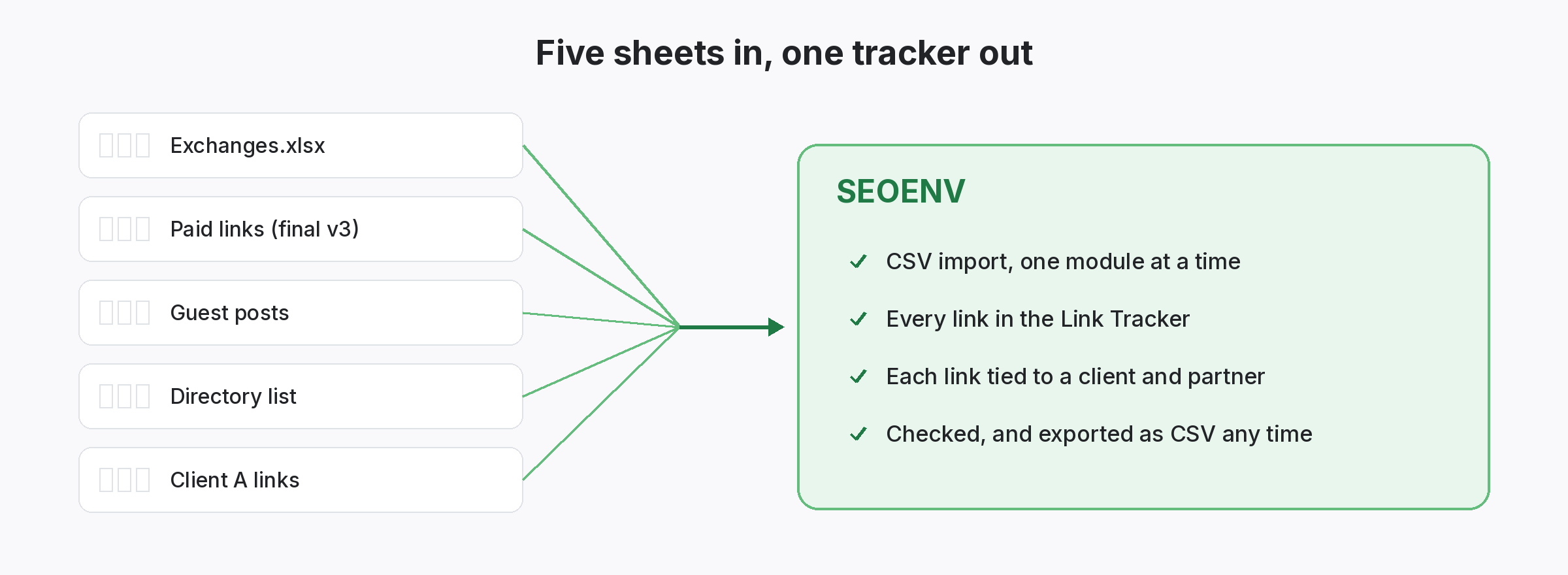
Five scattered link-building spreadsheets combined into one SEOENV link tracker
The problem

The spreadsheet worked. Until there were five of them.

Sheet sprawl is how most link-building teams start, and why they move.

One tab for exchanges, another for paid links, a third for guest posts, and a copy per client. Versions drift, columns mean different things in each file, and nobody trusts the totals. Moving to a tool feels risky because years of data sit in those CSVs.

None of this means spreadsheets are bad. They are flexible, familiar and free. The trouble starts when a sheet becomes the system of record for hundreds of links across several clients and link types. At that point you need checks the sheet cannot run, structure it cannot enforce, and history it cannot protect. Moving over keeps the familiar CSV format at both ends.

One tracker

Every link type, one place.

Exchanges, paid links, guest posts and listings together.

Each module holds one kind of link with the fields it needs, and every link also appears in the Link Tracker. The Dashboard shows the totals you used to calculate by hand.
  • One source of truth: the Link Tracker.
  • Fresh statuses: links checked, not typed.
  • At a glance: the Dashboard replaces summary tabs.
Five scattered link-building spreadsheets combined into one SEOENV link tracker
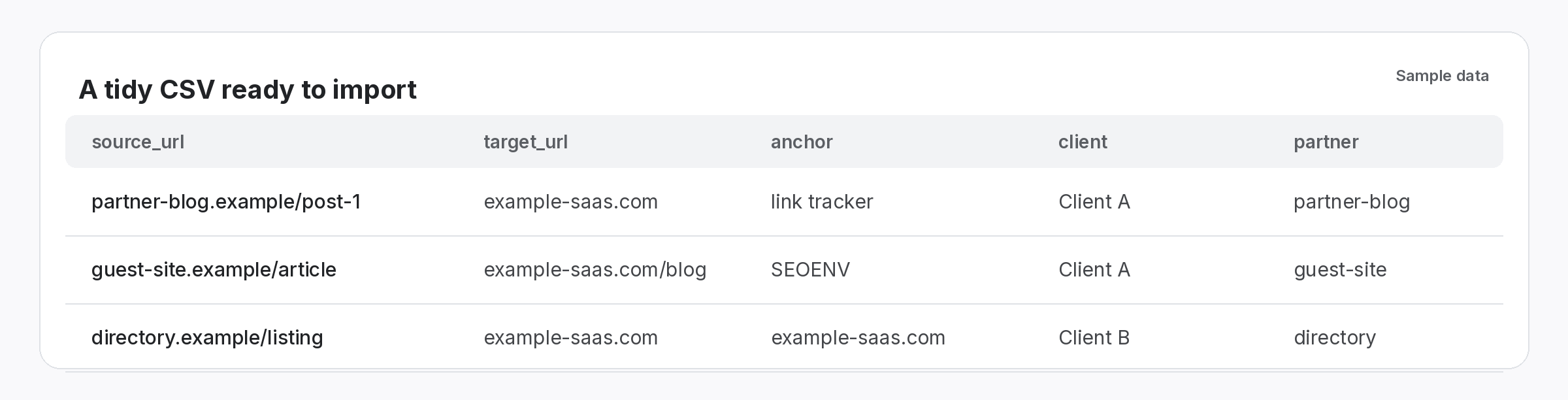
Sample CSV rows with source URL, target URL, anchor, client and partner columns ready to import
CSV import and export

Move in without retyping. Leave whenever you want.

Your data stays portable.

Export each sheet as CSV and import it. Once in, run Check all to get a current status for every link. CSV export is always available, so your data is never locked in.

  • Tidy first: one row per link, consistent columns.
  • Import: module by module.
  • Export any time: take everything out as CSV.
Preparing your sheets

How to get a clean import first time.

  • One row per link. Split merged cells and rows that hold two links before you export.
  • One sheet per link type. Exchanges, paid placements, guest posts and listings each go into their own module.
  • Consistent client names. “Client A” and “client-a” become two clients. Pick one spelling and fix the rest.
  • Full URLs. Include the protocol and full path for source and target pages, so checks can find the link.
  • Drop the old status column. It will be replaced by a fresh check after import, so there is no need to clean it.

Import once. Stop reconciling.

One tracker instead of five sheets.

How it works

Move over in three steps.

Start with your largest sheet; the rest follow the same pattern.

  • Export your sheet: save each tab as CSV with one row per link.
  • Import: bring each CSV into the module that matches the link type.
  • Check: run Check all to replace old statuses with current ones.
Features

The tools that replace the spreadsheet.

Every feature listed here is live in the app today.

Why we built SEOENV

We ran our own link building in spreadsheets for years, and we still like them for one-off analysis. That is why export stays open: use SEOENV as the source of truth and take a CSV out whenever a spreadsheet is the better tool.

The SEOENV team · Last updated 14 October 2026

Who it’s for

Who uses this.

Related solutions

Where this fits in SEOENV.

FAQ

Switching questions.

One row per link with consistent columns, such as source URL, target URL, anchor, client and partner. Import each link type into its matching module.
Yes, at any time, on every plan.
Yes. Run Check all after import. Starter, Growth and Enterprise run automatic daily link checks. On the Free plan you check manually with Check all, and any plan can run Check all whenever you like.
It depends on how tidy your sheets are. Cleaning columns usually takes longer than the import itself.
No. CSV export is always available.
Each link counts once, whichever module it is in. Free includes 20 links.
Yes. Export a CSV whenever you need a sheet for analysis or sharing.
No. Start with one module, check it, then bring in the rest.

Close the spreadsheet. Keep every link.

Import your sheet and see what is still live today.

Free plan: 20 links. Paid plans from $29/mo.
