
Backlink monitoring

Backlink monitoring that shows which links are still live

Backlink monitoring in SEOENV starts with the links you build. Log them once; SEOENV then checks each source page, confirms your link is there and records whether it is Dofollow or Nofollow.

Free plan: 20 links, 2 clients, 2 projects. Paid plans from $29/mo.
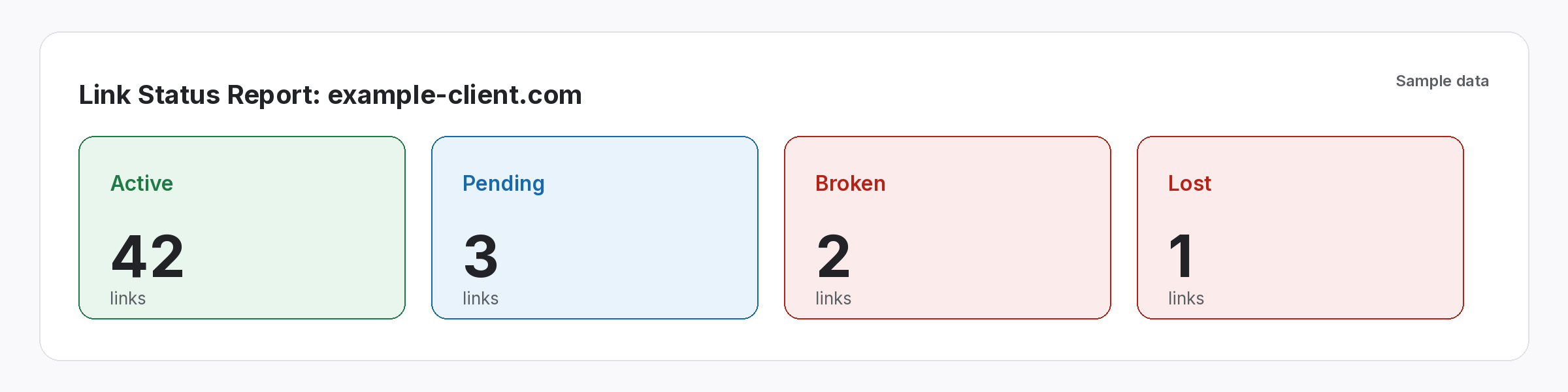
Link Status Report summary for a sample client showing counts of Active, Pending, Broken and Lost links
The problem

Links disappear quietly, and nobody is watching.

You find out months later, usually when a client asks.

A partner redesigns their blog and your link drops out. A vendor switches a paid link to nofollow. A guest post page starts returning a 404. None of this sends you a message, and rechecking hundreds of links by hand takes hours each month, so most teams stop doing it.

One list, checked

Every link you build, in one table with a status.

Whatever the source, every link lands in the Link Tracker.

Exchanges, paid placements, guest posts and listings all appear in the Link Tracker, tagged with where they came from. Each check fetches the source page, looks for your link and reads its rel attribute.
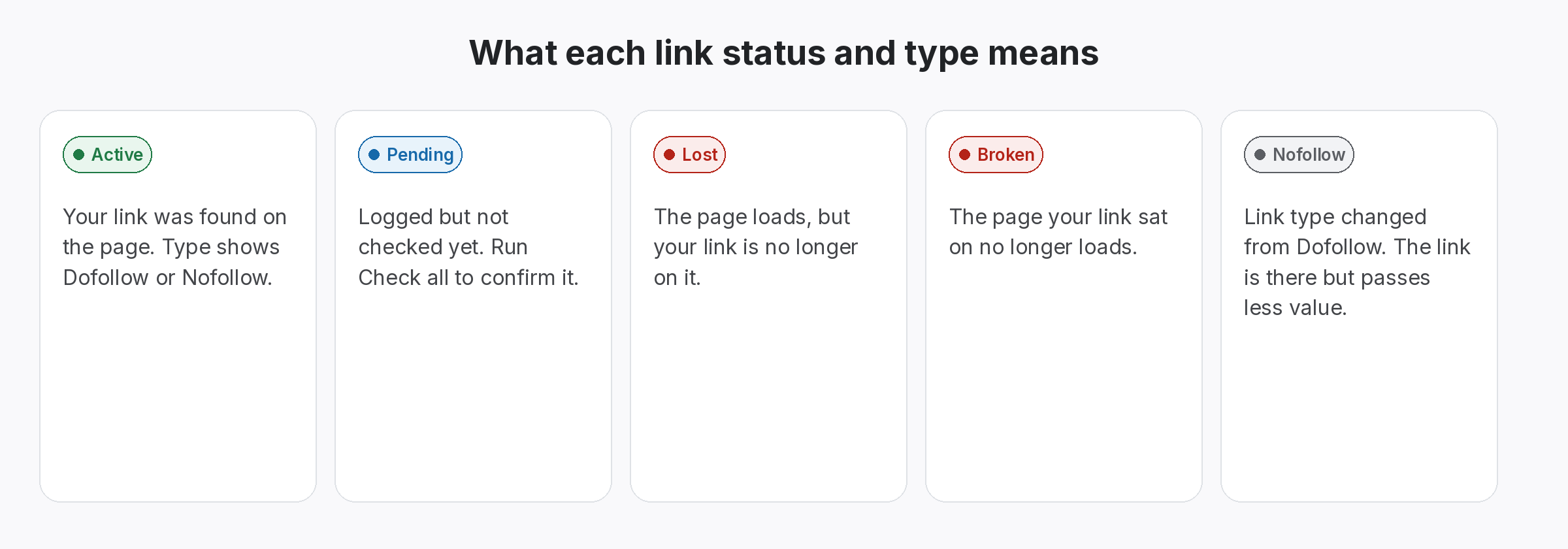
  • Clear statuses: Active, Pending, Lost or Broken, plus Dofollow or Nofollow.
  • Filter fast: narrow by client, link type or status, or search a domain.
  • Take it with you: export the list as CSV at any time.
Five cards explaining the link statuses Active, Pending, Lost and Broken, and the Nofollow link type
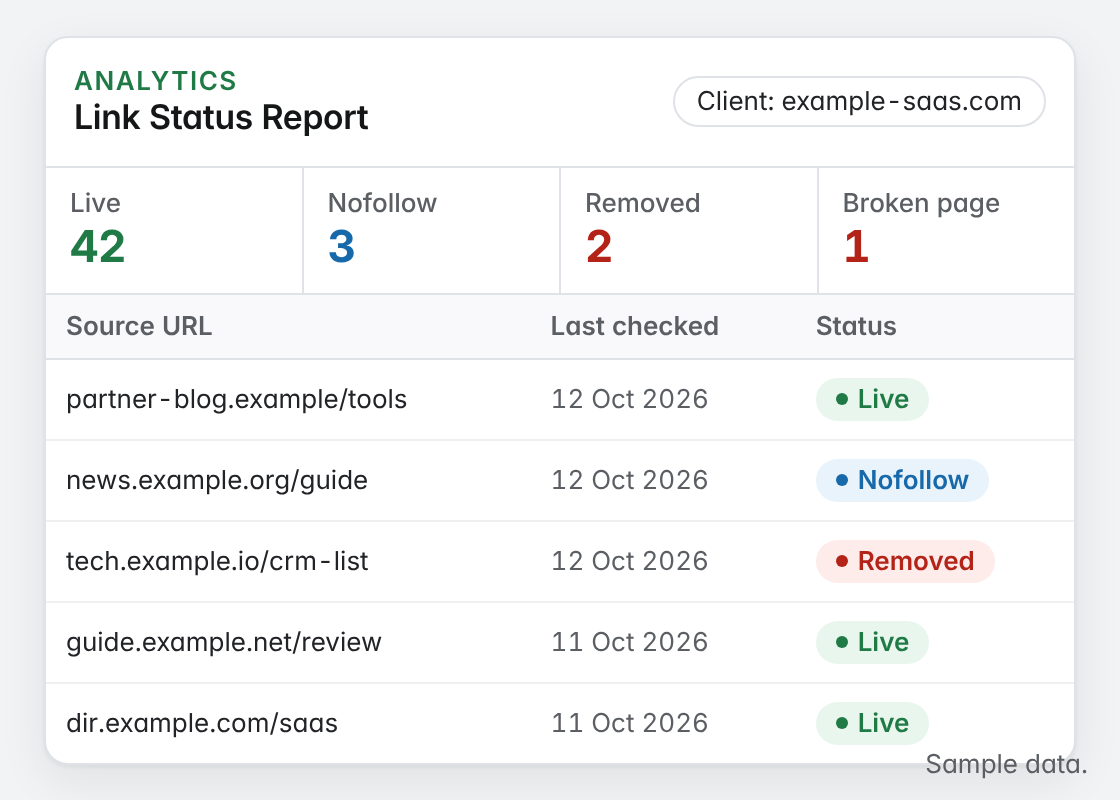
Link Status Report table for one client with a summary strip and rows of link statuses
Report the result

See what changed, grouped by client.

The Link Status Report turns checks into a list you can act on.

Instead of scanning a whole sheet, open the Link Status Report for one client and see which links need attention. Lost and Broken links are the ones to raise with the site owner first.

  • Per-client view: one client’s links without touching anyone else’s.
  • Act on changes: Lost, Broken and Nofollow links stand out from Active ones.
  • Share it: send clients a read-only share link to the report.
A practical routine

How to audit lost backlinks, with or without a tool.

  • Start with the money links. Paid placements and guest posts cost the most to replace, so review their status first, then exchanges, then listings.
  • Treat Lost and Broken differently. A Lost link means the page loads but your link was taken out, so ask the editor what changed. A Broken page usually means a moved or deleted URL, so ask for a redirect or a new placement.
  • Watch the type as well as the status. A link that is still Active but now Nofollow passes less value. If the deal promised a followed link, raise it with the partner using the record as evidence.
  • Clear Pending links quickly. Pending means a link has never been checked. Run Check all after every import so nothing sits unverified.
  • Keep a note of every follow-up. Add the outcome to the link record, so the next person can see the link was chased and what the partner said.

Log a link once. Check it every day.

Automatic daily link checks on paid plans, and Check all on every plan.
How it works

From logged link to checked link in three steps.

Set it up once. After that the checking runs without you.

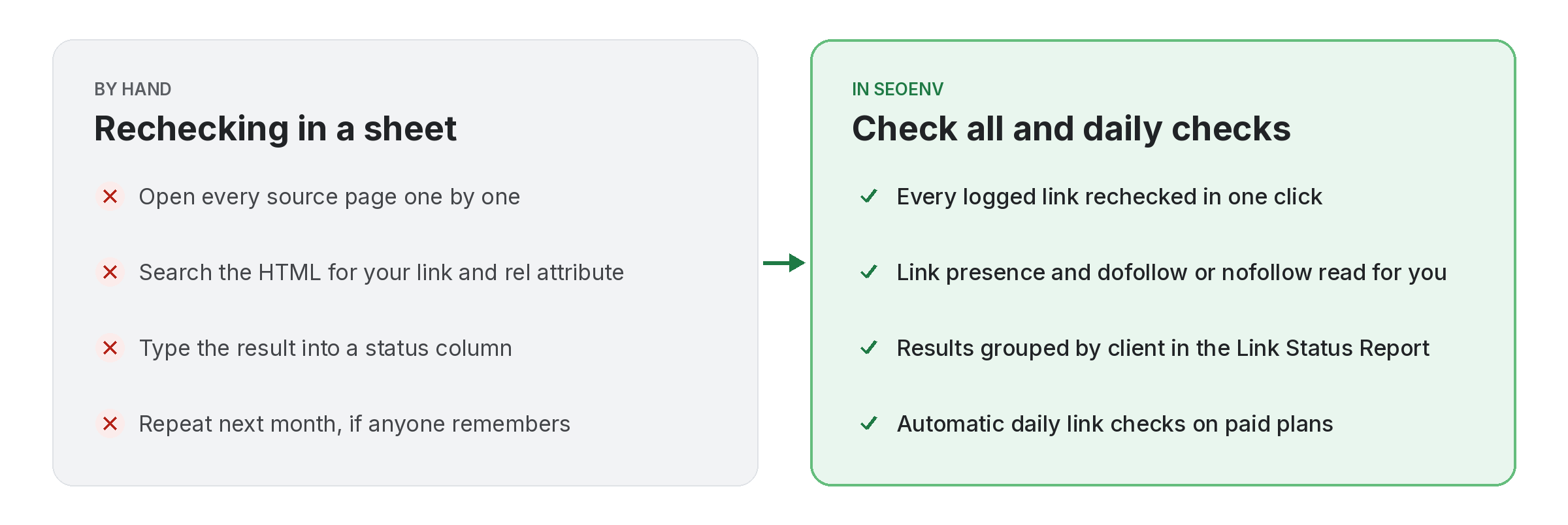
Comparison of rechecking backlinks by hand in a spreadsheet with Check all and daily checks in SEOENV
  • Add or import: log links in the module that fits, or import a CSV of the links you already have.
  • Check: click Check all to check every link now. Paid plans then check them automatically each day.
  • Review: open the Link Status Report, filter by client and follow up on anything Lost, Broken or Nofollow.
Features

The tools behind backlink monitoring.

Every feature listed here is live in the app today.

Why we built SEOENV

We built monitoring first because lost links were the problem that cost us most in our own client work. SEOENV checks the specific links you log; it does not crawl the web for links you did not build.

The SEOENV team · Last updated 14 October 2026

Who it’s for

Who uses this.

Related solutions

Where this fits in SEOENV.

FAQ

Backlink monitoring questions.

Starter, Growth and Enterprise run automatic daily link checks. On the Free plan you check manually with Check all, and any plan can run Check all whenever you like.
Each link has a status of Active, Pending, Lost or Broken, and a type of Dofollow, Nofollow or Unknown. Pending means the link has not been checked yet.
Yes. Check all rechecks every link in your account in one go, on any plan.
Yes. Imported links are checked the same way as links you add by hand.
No. Those tools crawl the web to find links pointing at a site. SEOENV monitors the links you built or agreed and tells you whether each one is still there.
Yes. Free is $0 and includes 20 links, 2 clients and 2 projects, with manual checks. Paid plans start at $29/mo. See pricing.

Find out which links you have lost.

Import your list, run Check all and see what is still live today.

Free plan: 20 links. Paid plans from $29/mo.
