
Paid Collaborations

Paid Collaborations: track every paid placement

Paid Collaborations records each paid placement with the vendor, cost, payment status and reference, then checks that the link stays live.

Free plan: 20 links, 2 clients, 2 projects. Paid plans from $29/mo.

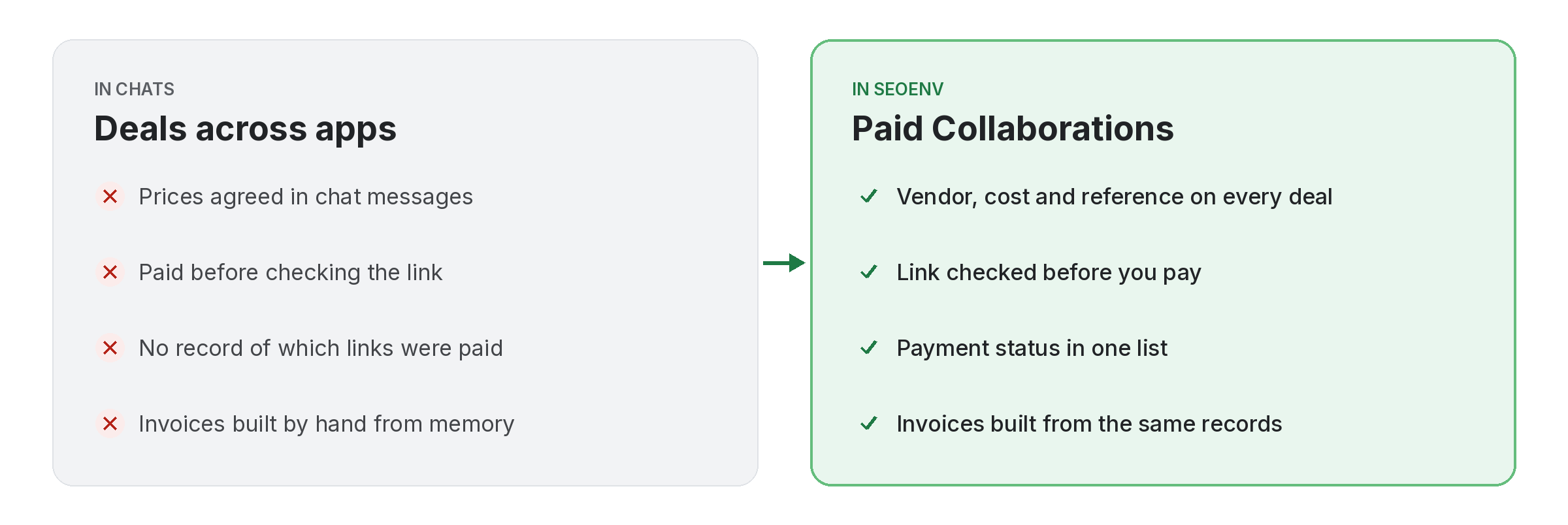
Comparison of tracking paid collaborations work by hand versus with Paid Collaborations in SEOENV

When you buy a placement, the deal usually lives in a chat, the invoice in an inbox and the link in a sheet. Paid Collaborations keeps the vendor, the cost, the payment status, the reference and the link in one record.

Because the link is checked like every other link, you can confirm it is live and see its type before you pay. Paid collaborations also feed the Invoice Generator and the ROI Calculator, so the same record does three jobs.

Paid Collaborations does not work alone. It shares data with Invoice Generator, which handles invoices from paid collaborations, exported as PDF; ROI Calculator, which handles spend versus link value and exchange savings; and Partners, which handles contacts, terms and every deal with each partner. Because every module writes to the same account, a link you log once can be checked, reported on and analysed without retyping it.
How it works

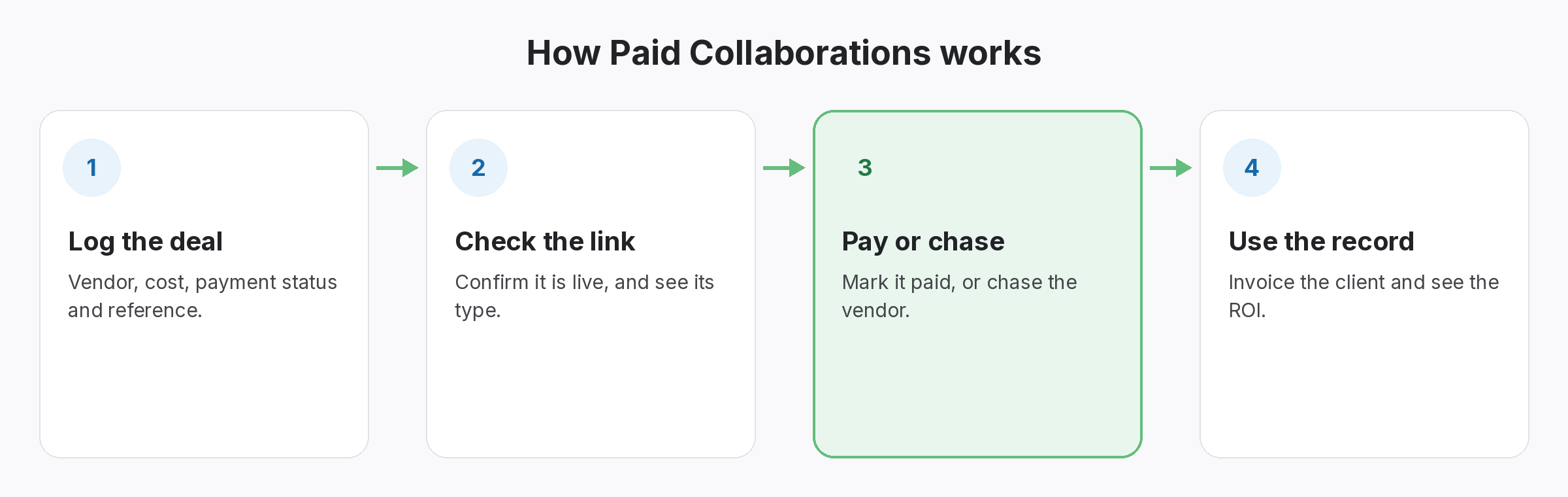
Paid Collaborations in four steps

Four-step diagram of how Paid Collaborations works in SEOENV: Log the deal, Check the link, Pay or chase, Use the record
  • Log the deal: Vendor, cost, payment status and reference.
  • Check the link: Confirm it is live, and see its type.
  • Pay or chase: Mark it paid, or chase the vendor.
  • Use the record: Invoice the client and see the ROI.
Benefits

Why teams use Paid Collaborations

Every benefit listed here is part of the live app today.

Tips

Getting the most from Paid Collaborations

  • Add the deal as soon as it is agreed, with the reference from the vendor.
  • Check the link before you mark the deal as paid.
  • Record how the link is marked, so you know which paid links are nofollow or sponsored.
  • Use the same records for the client invoice and the ROI Calculator, rather than copying numbers.
Who it’s for

Who uses this.

How to record paid collaborations properly

When you log paid collaborations, record how each link is marked. Google asks that paid links be qualified with rel=”sponsored” or nofollow, so the Dofollow or Nofollow type on each record matters.

Related: Invoice Generator, ROI Calculator, Partners; solutions: paid link tracking and roi, client reports and invoices; or see all features.

Related

Related features and solutions

FAQ

Questions about Paid Collaborations

The vendor, cost, payment status and reference for each paid placement, plus the link itself.
Yes. The link is checked like any other, so you can confirm it is live and see whether it is Dofollow or Nofollow.
Paid Collaborations is included on every plan, including Free.
Yes. The Invoice Generator can build invoices from your paid collaborations.
Google asks that paid links use rel=”sponsored” or rel=”nofollow”. SEOENV records the type so you can see how each one is marked.

Pay only for links that are live.

Paid Collaborations is included on the Free plan.

Free plan: 20 links, 2 clients, 2 projects. Paid plans from $29/mo.