
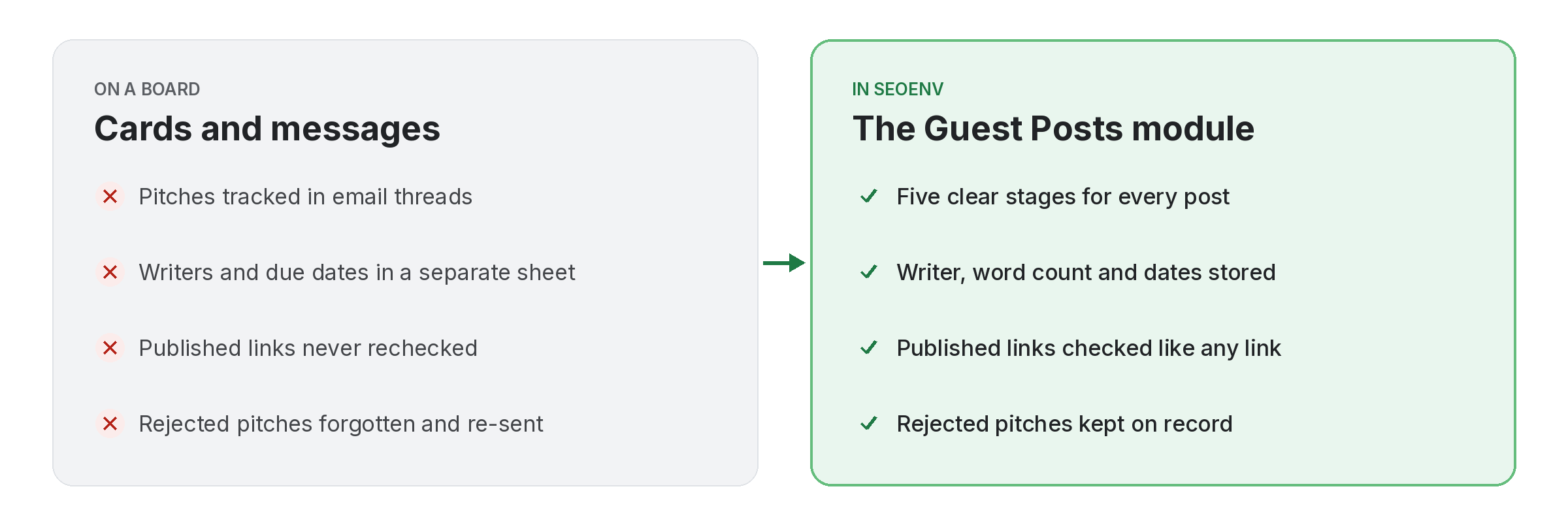
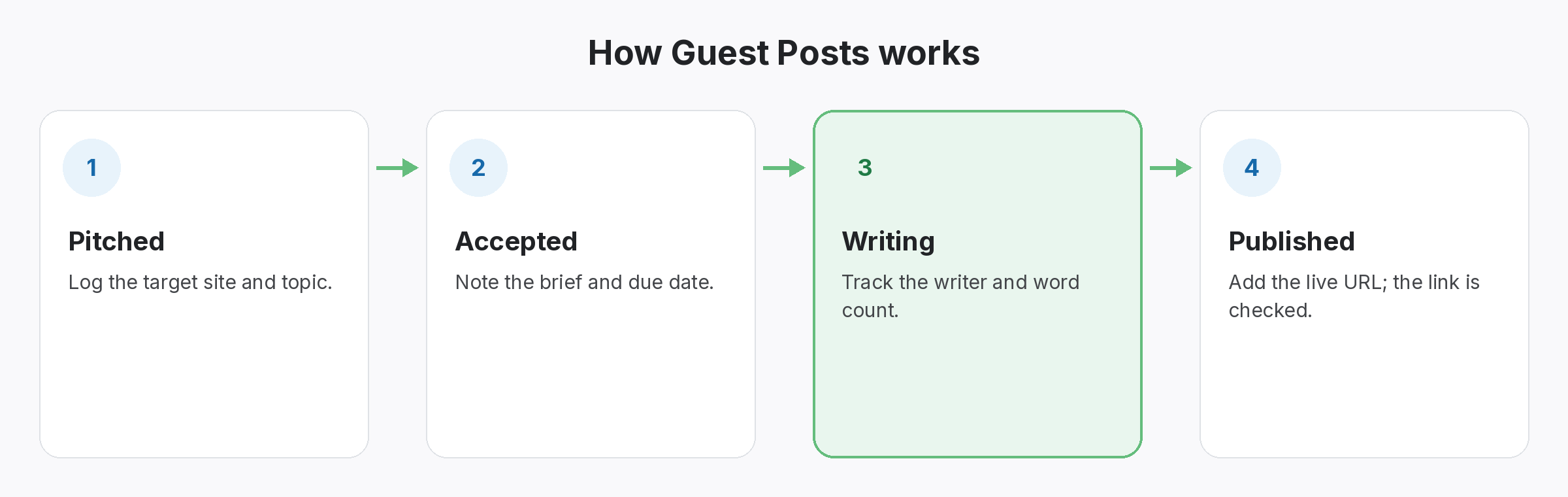
Guest posts take weeks and pass through several hands. The Guest Posts module gives each one a stage, so you can see what is pitched, what has been accepted, what is being written and what is live.
Each post stores the site, the writer, the word count, the dates and the live URL. Once a post is Published, its link appears in the Link Tracker and is checked like any other. Pitches that fall through are marked Rejected, so the history stays.
Guest Posts does not work alone. It shares data with Anchor Text Heatmap, which handles see the anchor mix and spot over-optimised anchors; Link Tracker, which handles every link from every module in one filterable table; and Projects, which handles group a client’s links by campaign or site. Because every module writes to the same account, a link you log once can be checked, reported on and analysed without retyping it.
Why teams use Guest Posts
Every benefit listed here is part of the live app today.
Getting the most from Guest Posts
Who uses this.
Guest post management that keeps anchors varied
Good guest post management covers anchors as well as deadlines. Google warns against large-scale guest posting campaigns with keyword-rich anchor text, so record the anchor on each post and keep the mix natural.
Related: Anchor Text Heatmap, Link Tracker, Projects; solutions: guest post and listing tracking, anchor text analysis; or see all features.
