Backlink Audit Guide: How to Review the Links You Have
Published on October 14, 2026 | 7 Min Read
Key takeaways
- A backlink audit is a structured review of the links pointing at your site: which exist, which are lost, how they are marked up and which carry risk.
- Start with two lists: links you built on purpose (from your records) and links a crawler found.
- Check status, rel attribute, relevance and anchor text for each link.
- Google says most sites never need to disavow; use it only for clear link schemes you can’t remove.
- Repeat the audit on a schedule so it becomes a quick check rather than a big project.
A backlink audit is a structured review of the links that point to your website. You gather every link you know about, check which are still live, see how each one is marked up, judge whether it is relevant and natural, and decide what to do about the ones that aren’t. This backlink audit guide walks through the process step by step, with a checklist you can reuse, and explains when (rarely) the disavow tool is the right answer.
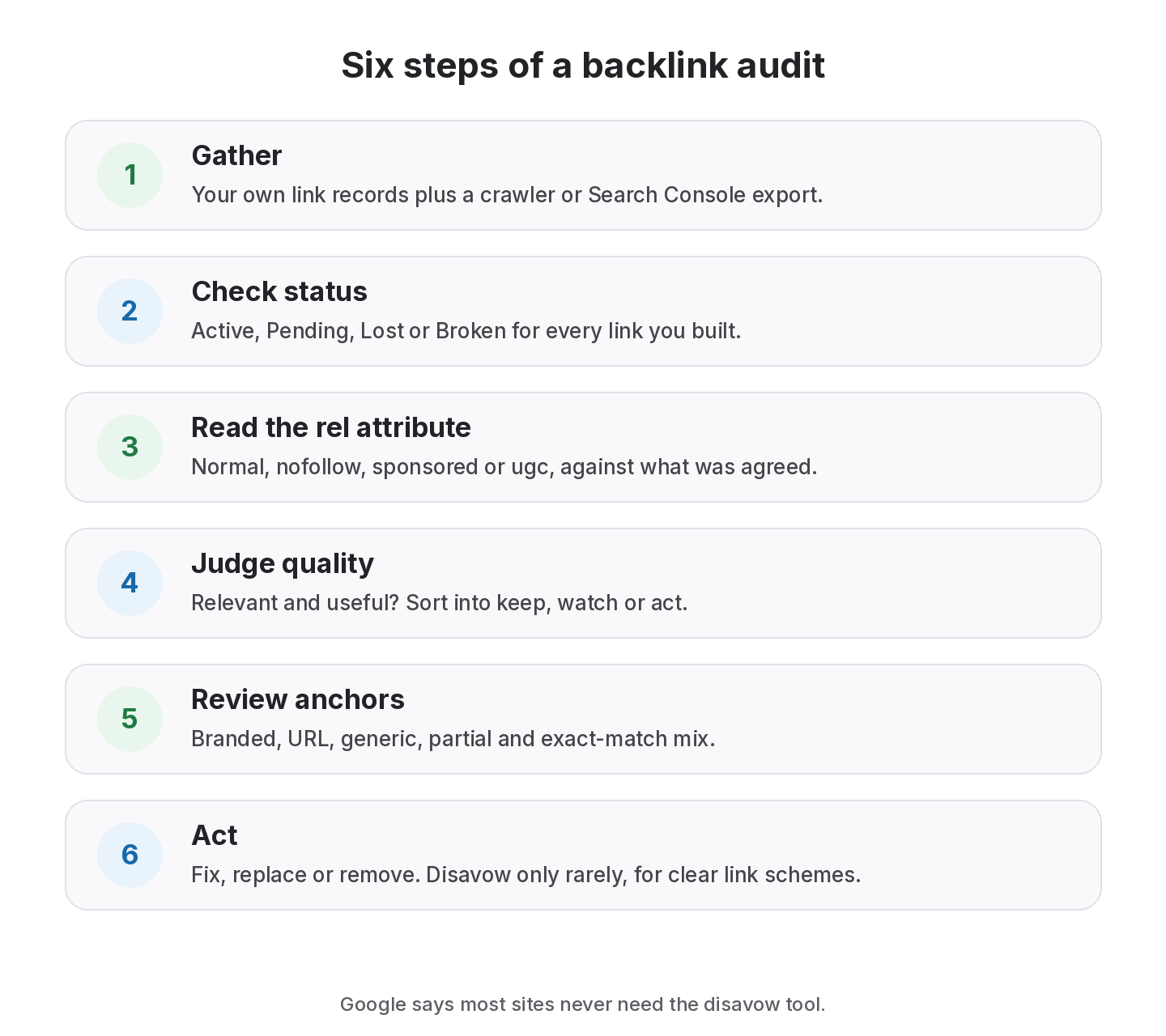
Backlink audit at a glance
| Step | What you check | Output |
|---|---|---|
| 1. Gather | Your own link records plus a crawler export | One combined list |
| 2. Status | Live, lost, broken or redirected | Status per link |
| 3. Markup | Normal, nofollow, sponsored or ugc | rel value per link |
| 4. Quality | Relevance, page quality, link context | Keep / watch / act |
| 5. Anchors | Mix of branded, URL, generic and exact match | Anchor profile |
| 6. Act | Fix, replace, remove or (rarely) disavow | Action list |
A backlink audit works best as a regular review of links you know about, but falls short if it turns into a hunt for “toxic” scores to disavow.
What is a backlink audit?
A backlink audit answers four questions: which links point to my site, are they still there, how are they marked up, and do any of them create risk? It covers two kinds of links:
- Links you built on purpose: exchanges, guest posts, paid placements, listings. You should have records for these.
- Links you didn’t build: editorial mentions, scrapers, directories and anything else a crawler finds.
Many guides focus only on the second group and on third-party “toxicity” scores. In practice, the links you built are where most of your money and risk sit, and they are the ones you can actually fix.
When to run a backlink audit
- before or after a site migration;
- when you take on a new client or site;
- after a sharp, unexplained drop in organic traffic;
- when you inherit link building done by someone else;
- on a regular schedule, such as quarterly.
Step 1: gather your backlink data
Combine two sources into one list:
- Your own records. Every link you or your team built, with source page, target URL, anchor, type, cost and date.
- A crawler export. Google Search Console’s Links report lists top linking sites and pages. Third-party backlink indexes add more.
Deduplicate by source page and target URL. Mark which links came from your own work. That flag will matter when you decide what to do.
Step 2: check link status
For each source page, confirm the link still exists. Use four statuses:
- Active: the page loads and the link is there.
- Lost: the page loads but the link is gone.
- Broken: the page no longer loads (404, 410, server errors).
- Pending: a link you agreed that hasn’t gone live yet.
Lost and broken links you paid or traded for are your first follow-ups. Our guide to why backlinks disappear explains the usual causes.
Start your audit with a clean link list
Import your links by CSV, then Check all to see which are Active, Lost or Broken.
Step 3: read the rel attribute
Look at the HTML of each link and note its rel value: none (a normal link), nofollow, sponsored or ugc. Two things to look for:
- Paid links without sponsored or nofollow. Google asks for paid links to be qualified. If you paid for a link that is a normal link, ask the publisher to add rel=”sponsored”.
- Agreed normal links that became nofollow. If an exchange or guest post was agreed as a normal link, a quiet switch changes the deal.
See nofollow vs dofollow for what each value means.
Step 4: judge quality and relevance
For each linking page, ask:
- Is it about a topic related to yours?
- Would a reader find the link useful in context?
- Is the page indexed and maintained?
- Does the site look like it exists mainly to sell or swap links?
Sort links into keep, watch or act. Be wary of automated “toxic” scores. They can be useful pointers, but they are third-party estimates, not Google’s view.
Step 5: review the anchor text mix
Group anchors into branded, naked URL, generic (“click here”, “this guide”), partial match and exact match. A natural profile is usually led by branded and URL anchors. A heavy share of exact-match commercial anchors, especially from links you built, is the pattern worth correcting. Our anchor text ratio guide covers this in detail.
Step 6: act on what you found
- Lost or broken links you built: contact the site owner with the original agreement and ask for a fix or replacement.
- Paid links without the right attribute: ask for rel=”sponsored” or nofollow.
- Exact-match anchors you control: ask partners to vary them on future links, or change them where agreed.
- Clear link schemes you can’t remove: consider the disavow tool, carefully.
A word on disavowing
Google’s disavow documentation says most sites don’t need to use it, and that it is for cases with many spammy, artificial or low-quality links pointing to your site that you are confident are causing issues, such as a manual action. Disavowing good links can do harm. If you have no manual action and didn’t build the links, leaving them alone is usually the right call.
Backlink audit checklist
- Combined list from your records and a crawler
- Status for every link you built
- rel value for every link you built
- Paid links all qualified as sponsored or nofollow
- Relevance verdict: keep, watch or act
- Anchor mix summary
- Follow-up list with owners and dates
- Notes on anything disavowed and why
Worked example: a quarterly audit for one client
Here is how a small agency might run a quarterly audit for a client with a few dozen built links. The numbers are illustrative, not from a real account.
Gather. The team exports its own link records for the client: every exchange, guest post and paid placement built in the last year. It then downloads the top linking pages from Search Console and adds any built links that are missing from its records, flagging them as “found, not logged”.
Check status. A recheck shows most links Active, a handful Lost and one Broken. Two of the Lost links were paid placements; one was a link exchange.
Read markup. One paid placement is a normal link with no rel value, even though the agreement said sponsored. The team asks the publisher to add rel=”sponsored” and notes the request date.
Judge quality. One linking site has started publishing unrelated casino and crypto posts with many outbound links. The link isn’t removed yet, but it moves to “watch” and the partner is paused for future deals.
Review anchors. Exact-match anchors on built links have crept up because two writers used the same phrase in guest posts. The team adds an anchor guideline to its brief.
Act. The follow-up list has five items, each with an owner and a date. The client report shows the losses, the fixes requested and the anchor change, rather than only the wins.
None of this needed a disavow. Most audits of built links end with emails, not with the disavow tool.
Signs your backlink profile needs attention now
Not every issue can wait for the next scheduled audit. Look sooner if you notice:
- a manual action notice for unnatural links in Search Console;
- several paid or exchanged links lost in the same month;
- a partner site changing owner, topic or design;
- a sudden spike in links from unrelated sites you didn’t build;
- a client asking why a link they paid for is gone.
Each of these is easier to handle when your records already show what was agreed, when it went live and when it was last checked.
How to choose your audit depth
- Small site, few built links: a quarterly check of your own records may be enough.
- Agency or many clients: audit per client, focusing on links you built and paid for.
- After a manual action: go deep on every link and document every removal request.
- Migrations: check that links to old URLs now redirect to the right pages.
From the SEOENV team
The audits that took us longest were the ones with no records to start from. Once every built link is logged with its source page and agreed type, the next audit is a status check, not a research project.
How SEOENV helps with backlink audits
SEOENV keeps the “links you built” half of the audit ready at all times. You can import your existing list with CSV import, run Check all to see which links are Active, Lost or Broken and Dofollow, Nofollow or Unknown, and share a Link Status Report (from Starter). Starter also adds automatic daily checks. Read more on the backlink monitoring page.
SEOENV isn’t a crawler index and doesn’t score “toxic” links or file disavows. It tracks the links you log.
Sources
- Google Search Console Help: Links report
- Google Search Console Help: Disavow links to your site
- Google Search Central: Spam policies for Google web search, link spam
How we wrote this guide
This guide is written by the SEOENV team from how link builders actually record exchanges, paid placements and guest posts. SEOENV makes a backlink manager, so we say where a spreadsheet or another tool is enough. We do not quote statistics we cannot source.
Frequently asked questions
Keep every link you build on record
Log exchanges, ABC swaps, paid links and guest posts in one place. The Free plan covers every link type for up to 20 links.


[…] expensive to fix six months later. If you suspect your list is already out of date, start with a backlink audit of the links you built, then run the routine above from a clean […]
[…] Backlink audit guide →Nofollow vs dofollow links →Backlink monitoring → […]
[…] listings beats a long list of forgotten ones. If you’re cleaning up old listings, our backlink audit guide shows how to review them alongside your other […]
[…] Backlink audit guide →Link building KPIs →Anchor text analysis → […]