Why Backlinks Disappear, and How to Find Lost Backlinks Fast
Published on October 14, 2026 | 6 Min Read
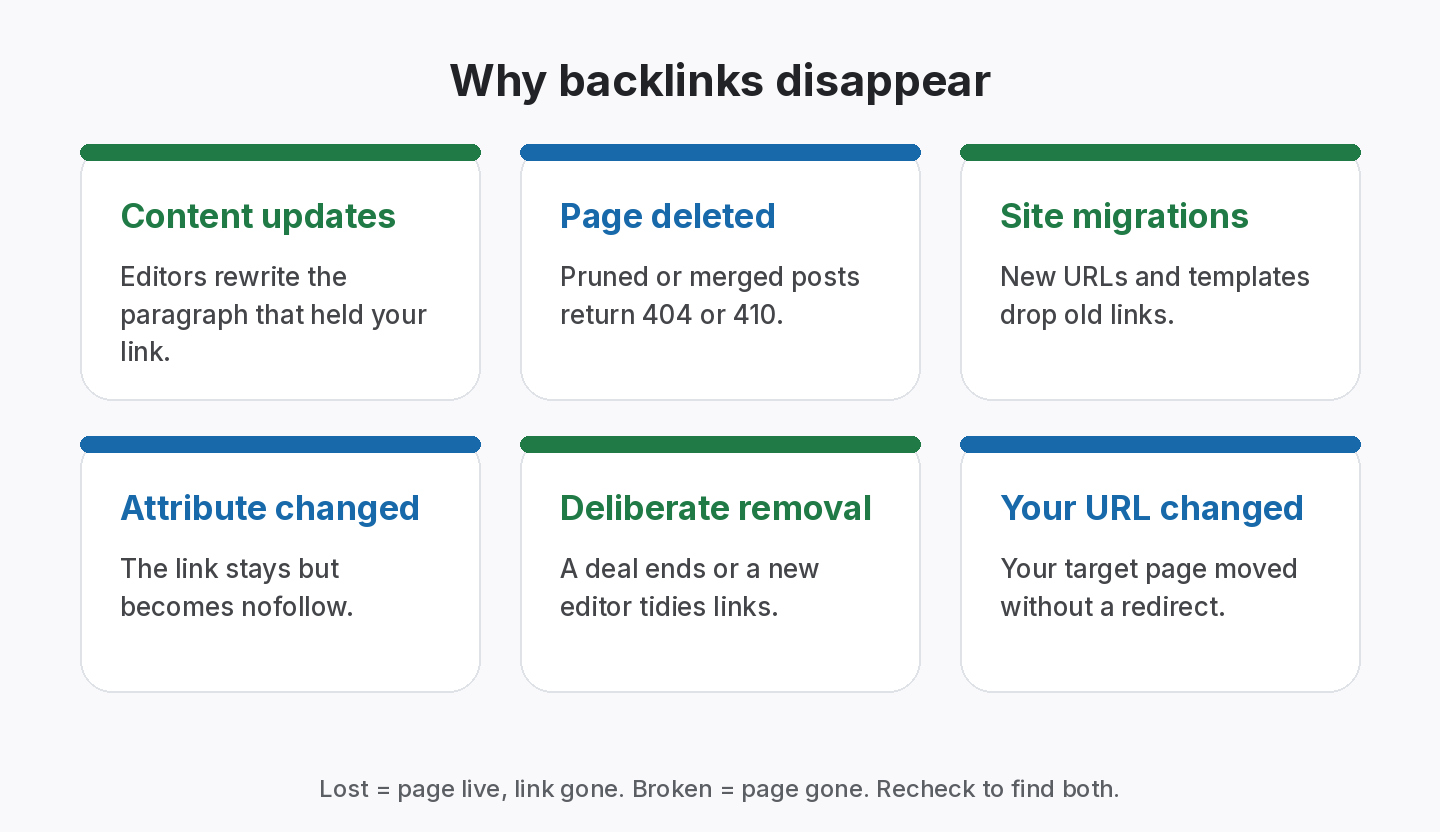
Key takeaways
- Backlinks disappear for ordinary reasons: pages are edited, deleted, redirected, migrated or switched to nofollow.
- Most link loss is quiet. Nobody emails you when a link goes, so only a recheck shows it.
- To find lost backlinks, recheck the exact source page of every link you built and compare it with what was agreed.
- Separate Lost (page live, link gone) from Broken (page gone), because the fix is different.
- Keep lost links on record with dates; the history shows which partners and tactics hold up.
Backlinks disappear because the web keeps changing. Site owners edit articles, prune old content, redesign templates, migrate domains, add nofollow to outbound links, or simply delete the page. Sometimes a partner removes a link on purpose; far more often it goes as a side effect of routine work. Almost none of these changes come with a notification, so the only reliable way to find lost backlinks is to recheck the exact source page of every link you care about. This guide explains why backlinks disappear, how to tell the causes apart and what to do about each.
Why backlinks disappear: causes at a glance
| Cause | What you see on recheck | Status | Usual fix |
|---|---|---|---|
| Article edited or rewritten | Page loads, link missing | Lost | Ask the editor to restore it |
| Page deleted | 404 or 410 | Broken | Ask for a replacement page |
| Page redirected | Redirects to another URL, link often gone | Lost or Broken | Check the new page; ask to restore |
| Site migration or redesign | Template or URL change | Lost or Broken | Contact the site with the old URL |
| Attribute changed | Link present, now nofollow or sponsored | Active, type changed | Check the agreement; ask if it was a normal link |
| Deliberate removal | Link gone, often after a deal ends | Lost | Refer to the agreed duration |
| Your target URL changed | Link points at a 404 on your site | Active, but broken target | Redirect your old URL |
| Site expired or offline | Domain doesn’t resolve | Broken | Usually unrecoverable; log and move on |
Rechecking source pages works best for finding lost backlinks you built, but falls short for links you never recorded, which is why logging every link matters.
Why backlinks disappear: the common causes
1. Content updates
Editors refresh articles to keep them current. In the process, they cut paragraphs, swap examples and replace older links with newer ones. Your link wasn’t targeted; it simply sat in a sentence that changed. This is the most common cause we see, and it is usually the easiest to fix, because the page still exists and the editor is reachable.
2. Content pruning and deletion
Many sites remove or merge old posts that get little traffic. If your link lived on one of them, it is gone along with the page. You’ll see a 404 or 410 on recheck.
3. Redirects and migrations
When a site moves to a new domain, changes its URL structure or redesigns its templates, links in sidebars, footers and old articles often don’t survive. Sometimes the old URL redirects to a new page that no longer contains the link.
4. Attribute changes
A link can stay on the page and still change. Some publishers add rel=”nofollow” or rel=”sponsored” to all outbound links after a policy review. If the link was paid, that may be exactly right under Google’s guidance. If it was an editorial link or an agreed exchange, it changes the deal. See nofollow vs dofollow for what each value means.
5. Deliberate removal
Partners remove links when an exchange becomes one-sided, a paid placement’s term ends, or a new editor tidies up outbound links. Without a written duration, it’s hard to say whether a removal broke the agreement.
6. Problems on your side
Sometimes the link is fine and your target page isn’t. If you changed a URL without a redirect, the link now points at a 404. Check your own site before contacting the partner.
7. The linking site disappears
Domains expire and small sites go offline. These links are usually lost for good. Record them so you know how many links you lost to site closures versus edits.
Find lost backlinks before your clients do
Check all your links in one click; daily automatic checks from Starter.
How to find lost backlinks
Start from your own records
The most reliable way to find lost backlinks is to recheck the exact source page of every link you built. A crawler-based backlink index can tell you about links it saw disappear, but it doesn’t know which links you paid or traded for, and its recrawl timing isn’t yours. Your own list does.
For each link, the recheck should confirm:
- the source page loads (no 404, 410 or server error);
- the link is still on the page;
- it still points at your agreed target URL;
- its rel value matches what was agreed;
- the anchor text hasn’t been changed.
Use Search Console as a second source
Google Search Console’s Links report shows top linking sites and pages. It is useful to spot big changes, though it is a sample and isn’t designed as a link-by-link loss alert.
Recheck on a schedule
How often depends on the value of the links. Paid links and active exchanges deserve frequent checks, because a fast follow-up is more likely to succeed while the deal is fresh. Older editorial links can be checked less often. The key is that the check happens on a schedule, not only when someone remembers.
Lost vs broken: why the difference matters
- Lost means the source page loads but your link isn’t there. Someone edited the page. A polite email with the original agreement often fixes it.
- Broken means the source page itself has gone. You need a replacement page, not a restored link.
Treating both as “lost” hides that difference and makes follow-up slower. Use separate statuses in your records.
What to do when you find a lost backlink
- Check your side first. Make sure your target URL still works.
- Confirm what was agreed. Pull up the page, anchor, rel value, price and duration.
- Contact the right person. The editor of the page is usually better than a general inbox.
- Be specific and brief. Give the page URL, where the link was, the agreed terms and the date it was last seen live.
- Offer an easy fix. Suggest the sentence where it could go back, or an alternative page.
- Record the outcome. Restored, replaced, refused or no reply, with a date.
- Adjust future deals. If a partner repeatedly removes links, stop working with them.
A short follow-up template
“Hi [name], we noticed the link to [your page] is no longer on [their page]. It was added on [date] as part of [agreement]. Would you be able to restore it, or point it from a related page instead? Happy to help with wording. Thanks, [your name].”
How to prevent backlinks from disappearing
You can’t stop every loss, but you can reduce it.
- Agree a minimum duration for exchanges and paid placements.
- Prefer links in evergreen content that the publisher is likely to keep.
- Avoid sidebar and footer links, which vanish with redesigns.
- Redirect your own changed URLs so links keep working.
- Build relationships, not one-off deals. Partners who know you are more likely to restore a link.
- Keep records of every link, so a loss is noticed early.
How to choose a recheck frequency
- Paid placements: frequent checks, especially in the first months.
- Active exchanges: frequent checks, since one-sided removals change the deal.
- Guest posts: regular checks; editors often trim links when updating.
- Directory listings: check at renewal time and a few times a year.
- Old editorial links: occasional checks are usually enough.
From the SEOENV team
When we compared lost links across many deals, the pattern was clear: content edits caused far more losses than deliberate removals. That is good news, because edit-related losses are the easiest to get restored if you spot them quickly.
How SEOENV helps you catch lost backlinks
SEOENV checks the exact source page of each link you log. Every link has a status (Active, Pending, Lost or Broken) and a type (Dofollow, Nofollow or Unknown), so a removal or a quiet switch to nofollow shows up clearly. On the Free plan you can run Check all manually for up to 20 links. Starter ($29 a month) adds automatic daily checks and the Link Status Report. Read more on the backlink monitoring page.
SEOENV tracks links you add. It doesn’t crawl the web to discover links you didn’t log.
Sources
- Google Search Console Help: Links report
- Google Search Central: Qualify your outbound links to Google
- Google Search Central: Redirects and Google Search
How we wrote this guide
This guide is written by the SEOENV team from how link builders actually record exchanges, paid placements and guest posts. SEOENV makes a backlink manager, so we say where a spreadsheet or another tool is enough. We do not quote statistics we cannot source.
Frequently asked questions
Keep every link you build on record
Log exchanges, ABC swaps, paid links and guest posts in one place. The Free plan covers every link type for up to 20 links.


[…] gone), and any change in type. Assign follow-ups for losses with an owner and a date. Our guide to why backlinks disappear covers common […]
[…] in two months can cost more per live month than an expensive one that lasts years. Our guide to why backlinks disappear covers the usual […]
[…] and broken links you paid or traded for are your first follow-ups. Our guide to why backlinks disappear explains the usual […]