Link Building Workflow for Agencies: From Brief to Report
Published on October 14, 2026 | 7 Min Read
Key takeaways
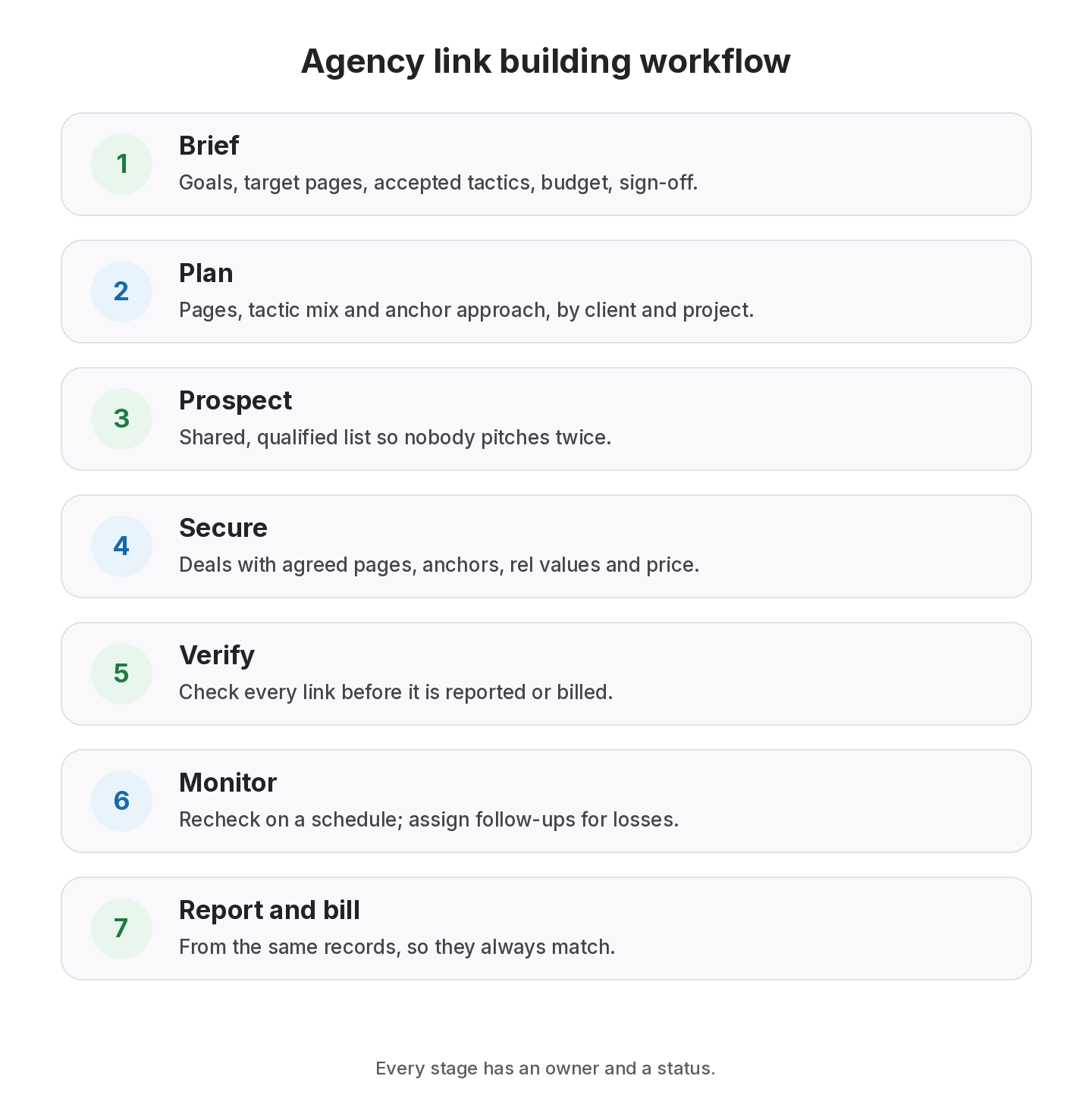
- A link building workflow for agencies turns one-off wins into a repeatable process: brief, plan, prospect, secure, verify, monitor and report.
- Organise everything by client and project from day one, so data never has to be untangled later.
- Give every stage an owner and a status, and keep partner contacts shared rather than in personal inboxes.
- Build verification and monitoring into the workflow, not as an afterthought.
- Use the same record for reporting and invoicing, so the two never disagree.
A link building workflow is the repeatable sequence an agency follows to take a client from brief to live, monitored, reported links. Freelancers can hold a process in their heads; agencies can’t. Once several people work across several clients, links get logged in different places, partners get contacted twice, lost links go unnoticed and reports take days to assemble. A clear workflow fixes that by giving every stage an owner, a status and a single place for the data. This guide sets out a seven-stage link building workflow for agencies, the roles involved, what to record at each step and the handoffs that most often break.
Agency link building workflow at a glance
| Stage | Goal | Owner | Output |
|---|---|---|---|
| 1. Brief | Understand goals, pages, constraints | Account lead | Signed-off brief |
| 2. Plan | Choose tactics and target pages | Strategist | Monthly plan |
| 3. Prospect | Find and qualify opportunities | Researcher | Qualified list |
| 4. Secure | Pitch, negotiate, agree terms | Outreach | Agreed deals |
| 5. Verify | Confirm links went live as agreed | QA / outreach | Live, checked links |
| 6. Monitor | Recheck links over time | Ops / QA | Status history |
| 7. Report and bill | Show results and invoice | Account lead | Report and invoice |
A staged workflow works best for agencies with several clients and team members, but falls short if each person still keeps their own spreadsheet.
Stage 1: the client brief
Start every client with a short brief, signed off by the client:
- business goals and the pages that support them;
- target markets and languages;
- tactics the client accepts (exchanges, guest posts, paid placements, PR) and any they rule out;
- budget for fees and pass-through costs;
- brand rules for anchors and content;
- reporting frequency and format;
- who approves deals on the client side.
Clients differ most on what they accept. Some won’t touch paid placements; others want them clearly labelled. Writing it down early prevents awkward conversations later.
Stage 2: the plan
Each month or quarter, decide:
- which target pages need links and why;
- the mix of tactics;
- rough targets per tactic, based on capacity;
- the anchor approach for each page.
Group the plan by client and by project (for example, one project per site or campaign). That grouping should follow the data through every later stage.
Stage 3: prospecting
Researchers build lists of relevant sites and qualify them: audience fit, editorial quality, outbound link behaviour and guidelines. A shared prospect list stops two team members pitching the same site for different clients without knowing. Record prospects against the client and project they’re for.
Stage 4: securing links
Outreach turns prospects into deals. For each deal, record:
- partner, site and contact;
- deal type: exchange, three-way exchange, guest post, paid placement, listing;
- agreed source page, target page and anchor;
- agreed rel value;
- price and currency, if any;
- agreed duration;
- status: Pending until live.
Keep partner contacts in a shared list, not personal inboxes. When someone leaves, the relationships stay.
Run every client’s links from one workspace
Organise links by client and project, share partners across the team, and report from the same data.
Stage 5: verification
When a partner says a link is live, check it before anyone reports or bills it:
- the link is on the agreed page;
- it points at the agreed target URL;
- the anchor and rel value match the agreement;
- the page loads and is indexable.
Mark the deal Active only after verification. This one habit prevents most client disputes.
Stage 6: monitoring
Links change after they go live. Recheck every link on a schedule and record status changes: Active, Lost (link gone) or Broken (page gone), and any change in type. Assign follow-ups for losses with an owner and a date. Our guide to why backlinks disappear covers common causes.
Stage 7: reporting and billing
Report from the same records you use to manage links: links built, live-link rate, lost and fixed, anchors, spend. Our link building KPIs guide suggests which measures to show. Invoice from the same data, so a placement on the report is the placement on the invoice; see how to invoice link building clients.
Roles and handoffs
Small agencies combine roles; larger ones separate them. Either way, the handoffs are where work gets lost.
- Researcher to outreach: hand over qualified prospects with notes, not just URLs.
- Outreach to QA: hand over agreed terms so verification has something to check against.
- QA to account lead: hand over a verified list, not a list of claims.
- Anyone to anyone: status changes should be visible to the whole team without asking.
Common agency workflow problems
- One spreadsheet per person. Data can’t be combined without hours of cleanup.
- Clients mixed in one list. Reports require manual filtering, and mistakes reach clients.
- No verification step. Links are reported because a partner said so.
- Partner contacts in personal inboxes. Relationships leave with staff.
- Monitoring by memory. Losses are found by clients first.
- Billing from a separate sheet. Invoices and reports disagree.
Worked example: onboarding a new client
Here is how a mid-sized agency might move a new client into the workflow in the first month. The details are illustrative.
Week 1: brief and import. The account lead runs a kickoff call and gets the brief signed off. The client’s existing link spreadsheet is imported into the agency’s system under a new client record, split into two projects (main site and a regional site). Every imported link is checked so the baseline is accurate.
Week 2: plan. The strategist picks four target pages and a tactic mix: a few guest posts, two relevant exchanges and one sponsored placement the client approved. Anchor guidelines are written into the plan.
Weeks 2–4: prospect and secure. Researchers add qualified prospects to the shared list. Outreach works the list, logging each deal against the right project with its agreed terms. Two prospects are skipped because another client already has an exchange with them.
Ongoing: verify and monitor. Each live link is verified before it’s marked Active. A sponsored placement goes live without rel=”sponsored”; QA flags it and outreach asks the publisher to add it.
Month end: report and bill. The account lead shares a report link showing links built, the baseline status of imported links, one lost link and its follow-up. The invoice lists the same placements with live URLs.
Nothing in this month is unusual. What makes it smooth is that every step uses the same records.
Standard operating procedures worth writing down
- the brief template and sign-off process;
- qualification criteria for prospects;
- what must be agreed before a deal is marked Pending;
- the verification checklist;
- recheck frequency by link type;
- what goes in the monthly report.
Short written procedures make onboarding new team members much faster and keep quality consistent across clients.
How to choose tools for your workflow
Check any tool, or combination of tools, against these needs:
- Client and project separation built in.
- Shared partners and contacts across the team.
- Statuses for every stage, from Pending to Active to Lost.
- Link checks, manual or automatic, with history.
- Client-ready reports and share links.
- Invoicing from the same records.
- CSV import and export, so you’re never locked in.
What a link building agency does differently
Readers sometimes ask what a link building agency is, compared with doing it in-house. An agency runs this workflow across many clients, with specialists for research, outreach and QA, and is accountable for results it reports. In-house teams run the same workflow for one business. The workflow itself doesn’t change much; the need for client separation, shared contacts and clean reporting is what grows with an agency.
From the SEOENV team
The workflow change that saved us the most time was making verification its own stage. Once nothing could be reported or billed until it was checked, end-of-month reporting stopped being a scramble.
How SEOENV supports agency workflows
SEOENV organises links by Clients and Projects, with shared Partners and every link type in one Link Tracker. The Free plan covers 2 clients and 2 projects; Starter ($29 a month) gives 10 clients, unlimited projects and daily automatic checks; Growth ($149 a month) gives unlimited clients and white-label reports. Read more on the agency link management page or compare pricing.
SEOENV doesn’t find prospects or run outreach. It keeps the workflow’s data in one place.
Sources
- Google Search Central: Spam policies for Google web search, link spam
- Google Search Central: Qualify your outbound links to Google
- Google Search Central: Creating helpful, reliable, people-first content
How we wrote this guide
This guide is written by the SEOENV team from how link builders actually record exchanges, paid placements and guest posts. SEOENV makes a backlink manager, so we say where a spreadsheet or another tool is enough. We do not quote statistics we cannot source.
Frequently asked questions
Keep every link you build on record
Log exchanges, ABC swaps, paid links and guest posts in one place. The Free plan covers every link type for up to 20 links.


[…] Agencies with many clients: whichever model you choose, use the same structure for every client; see our agency workflow guide. […]