How to Invoice Link Building Clients (With a Line-Item Template)
Published on October 14, 2026 | 6 Min Read
Key takeaways
- Invoice link building clearly enough that a client can match every line to a live link or a piece of work.
- Separate retainer fees, paid placement costs, content and other pass-through costs on their own lines.
- Attach or link proof: the live URL, date and status for every placement you bill.
- Agree payment terms, currency, taxes and what happens if a paid link is lost, before the work starts.
- Keep invoices tied to client and project records so billing and reporting never disagree.
To invoice link building clients well, make every line on the invoice traceable to something the client can see: a live link, a published article, or a defined block of work. Link building invoices cause more disputes than most because the “product” lives on someone else’s website and can change after the bill goes out. Clear line items, proof of placement and agreed terms for lost links solve most of that. This guide covers billing models, what to put on each line, a template you can copy, and how to handle taxes, currencies and replacements.
Link building billing models at a glance
| Model | How it works | Best for | Watch out for |
|---|---|---|---|
| Monthly retainer | Fixed fee for agreed scope | Ongoing programmes | Clear scope, or clients assume unlimited work |
| Per link | Fee per live link | Clear, countable deliverables | Define “live” and replacement terms |
| Retainer + pass-through | Fee for work, costs billed at cost or with a stated margin | Paid placements, content costs | Show pass-through costs separately |
| Project fee | Fixed price for a campaign | Launches, audits | Change requests mid-project |
| Time-based rate | Billed per hour or day | Consulting, audits, cleanup | Clients want an estimate up front |
A retainer with separate pass-through lines works best for most link building clients, but falls short if invoices don’t show which links each charge covers.
What makes link building invoices different
Most service invoices bill for work delivered and finished. Link building bills for placements on third-party sites that can be edited, removed or switched to nofollow later. Clients also see costs from several sources: your fee, publisher fees, content and tools. If those are mixed into one line, clients can’t check them, and doubts grow. Good link building invoices answer three questions on sight: what was done, what did it cost, and where is the proof?
What to include on every link building invoice
Start with standard invoice details, which most tax systems require in some form:
- your business name, address and tax registration number if you have one;
- the client’s name and billing details;
- an invoice number and issue date;
- payment due date and terms;
- currency;
- subtotal, taxes and total.
Then add link building specifics:
- Period covered: the month or campaign dates.
- Client project: if the client has more than one site or campaign.
- Line items grouped by type (see below).
- Proof reference: a link to the report or a list of live URLs.
- Notes: replacement terms, anything carried over from last month.
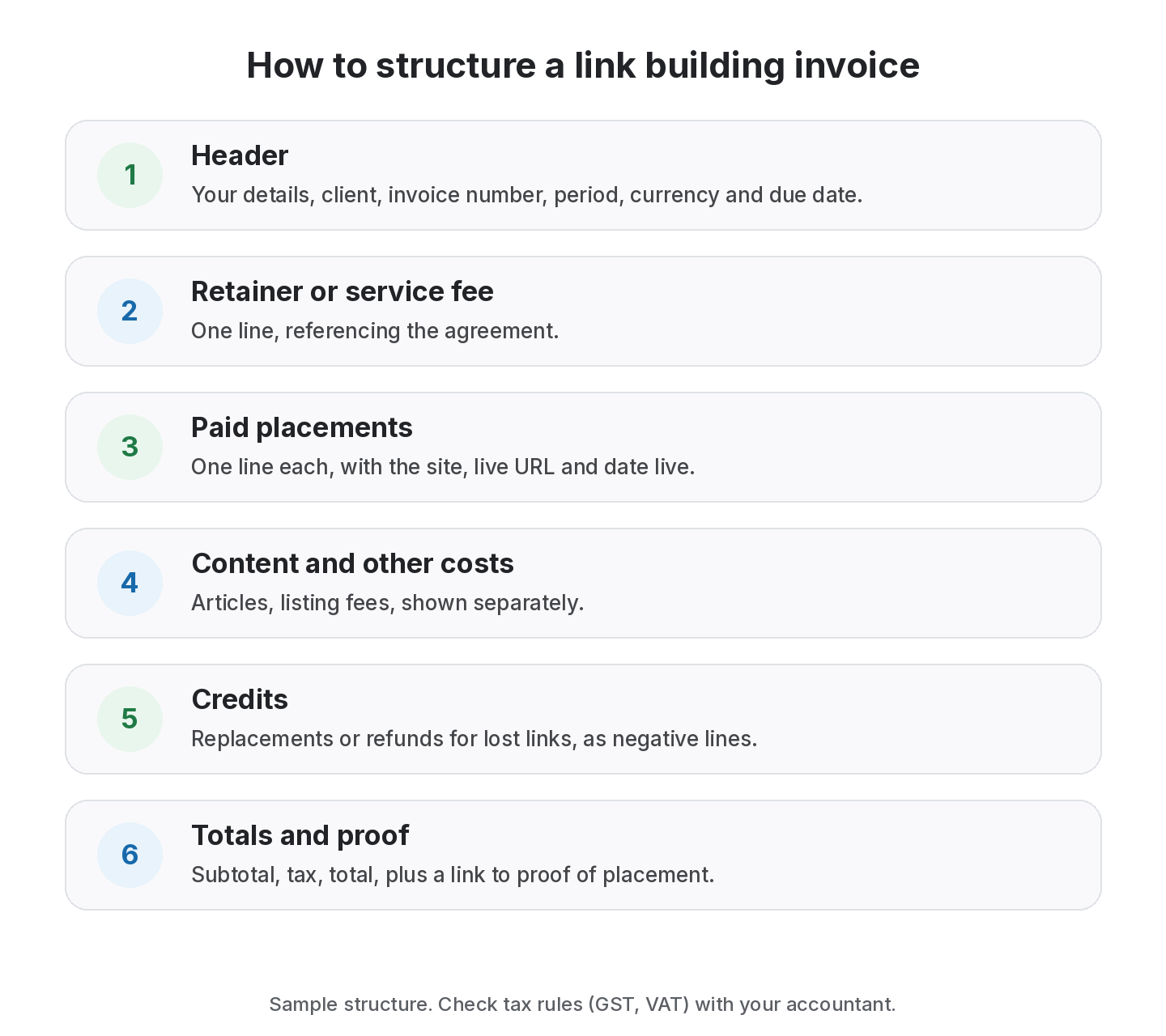
How to structure line items
Group lines so each type of charge can be checked on its own.
- Service fee or retainer: “Link building retainer, October 2026, per agreement dated [date]”.
- Paid placements (pass-through): one line per placement, with the site and date live. State whether you charge at cost or with a margin, as agreed.
- Content: articles written for guest posts, per article.
- Other costs: directory listing fees, tools if billed.
- Credits: replacements or refunds for lost placements, as negative lines.
Create link building invoices from your link records
Generate invoices on Free; PDF invoices from Starter.
A copy-ready invoice template
Invoice [number] · Issued [date] · Due [date]
From: [your business, address, tax number]
To: [client, address, tax number]
Period: [start] to [end] · Project: [site or campaign]
| Item | Details | Qty | Rate | Amount |
|---|---|---|---|---|
| Link building retainer | October scope per agreement | 1 | [rate] | [amount] |
| Paid placement | [site], live [date], [live URL] | 1 | [cost] | [amount] |
| Guest post content | “[article title]” | 1 | [rate] | [amount] |
| Credit | Replacement for lost placement on [site] | 1 | −[amount] | −[amount] |
| Subtotal | [amount] | |||
| Tax | [amount] | |||
| Total | [amount] |
Proof of placement: [link to report] · Notes: [replacement terms]
Proof of placement
Attach or link evidence for every billed placement:
- the live URL of the linking page;
- the date the link went live;
- the target page and anchor;
- the link’s rel value, if agreed;
- its current status at invoice time.
A shared report link is often easier than screenshots, and it stays current. Our link building KPIs guide covers what else to show.
Taxes and currencies
Tax rules depend on where you and your client are based. In India, for example, many service businesses charge GST, and cross-border services can follow different rules. In other countries, VAT or sales tax may apply. We can’t give tax advice; check with an accountant for your situation. Practical points that apply almost everywhere:
- state the currency on every invoice;
- if you pay publishers in one currency and bill in another, agree who absorbs exchange differences;
- keep publisher invoices or receipts for every pass-through cost.
Handling lost paid links
Agree this before the first invoice:
- minimum live period for paid placements, such as 6 or 12 months;
- what happens if a link is lost early: replacement, credit or refund;
- who bears the cost if the publisher refuses to restore it;
- how quickly you’ll report a loss.
Then show credits on the next invoice as negative lines, so the history stays visible.
Common invoicing mistakes
- One lump sum for “SEO services” with no breakdown.
- Mixing clients on one invoice for an agency’s sub-accounts.
- Billing placements before they’re live.
- No proof, so clients have to take your word.
- Unclear pass-through margins, which erode trust when discovered.
- Invoices that don’t match reports. If billing and reporting come from different spreadsheets, they drift.
What to agree before the first invoice
Most invoicing problems start with something nobody agreed. Put these points in your proposal or contract:
- Scope: what the retainer covers and what is billed separately.
- Approval: whether the client approves each paid placement before you buy it.
- Pass-through costs: billed at cost or with a margin, and how that margin is shown.
- Definition of delivered: a link counts when it is live and verified, not when it is agreed.
- Replacement terms: what happens if a paid or exchanged link is lost within an agreed period.
- Payment terms: due dates, late fees if any, and accepted payment methods.
- Currency and taxes: which currency you bill in and who handles exchange differences.
When these are written down, the invoice is just a summary of what was agreed and delivered, and clients rarely question it.
Invoicing agencies and white-label clients
If you build links for other agencies that resell your work, keep two things separate: the end client the links are for, and the agency you bill. Group invoice lines by end client so the agency can rebill accurately, and keep proof of placement unbranded or in their branding if agreed. Clear client and project records make this much easier, because every link already knows which end client it belongs to.
How to choose a billing model
- Predictable programmes: monthly retainer, with paid placements as separate lines.
- Clients who want countable deliverables: per live link with replacement terms.
- One-off work: project fee with a written scope.
- Unclear scope: a time-based rate for discovery, then move to a retainer.
- Agencies with many clients: whichever model you choose, use the same structure for every client; see our agency workflow guide.
From the SEOENV team
The disputes we’ve seen over link building invoices almost always came from one cause: the client couldn’t match a charge to a link. Putting the live URL on the line item removed most of the questions before they were asked.
How SEOENV helps with invoicing
SEOENV’s Invoice Generator is included on the Free plan, and Starter ($29 a month) adds PDF invoices. Because links are already recorded by client in Clients and by project, invoices and reports come from the same data. See pricing for what each plan includes.
SEOENV doesn’t process payments or file taxes. It helps you prepare clear invoices from your link records.
Sources
- Government of India GST portal: Goods and Services Tax
- Google Search Central: Qualify your outbound links to Google
- Google Search Central: Creating helpful, reliable, people-first content
How we wrote this guide
This guide is written by the SEOENV team from how link builders actually record exchanges, paid placements and guest posts. SEOENV makes a backlink manager, so we say where a spreadsheet or another tool is enough. We do not quote statistics we cannot source.
Frequently asked questions
Keep every link you build on record
Log exchanges, ABC swaps, paid links and guest posts in one place. The Free plan covers every link type for up to 20 links.


Leave A Comment