Backlink Tracker Template: The Columns Every Link Sheet Needs
Published on October 14, 2026 | 6 Min Read
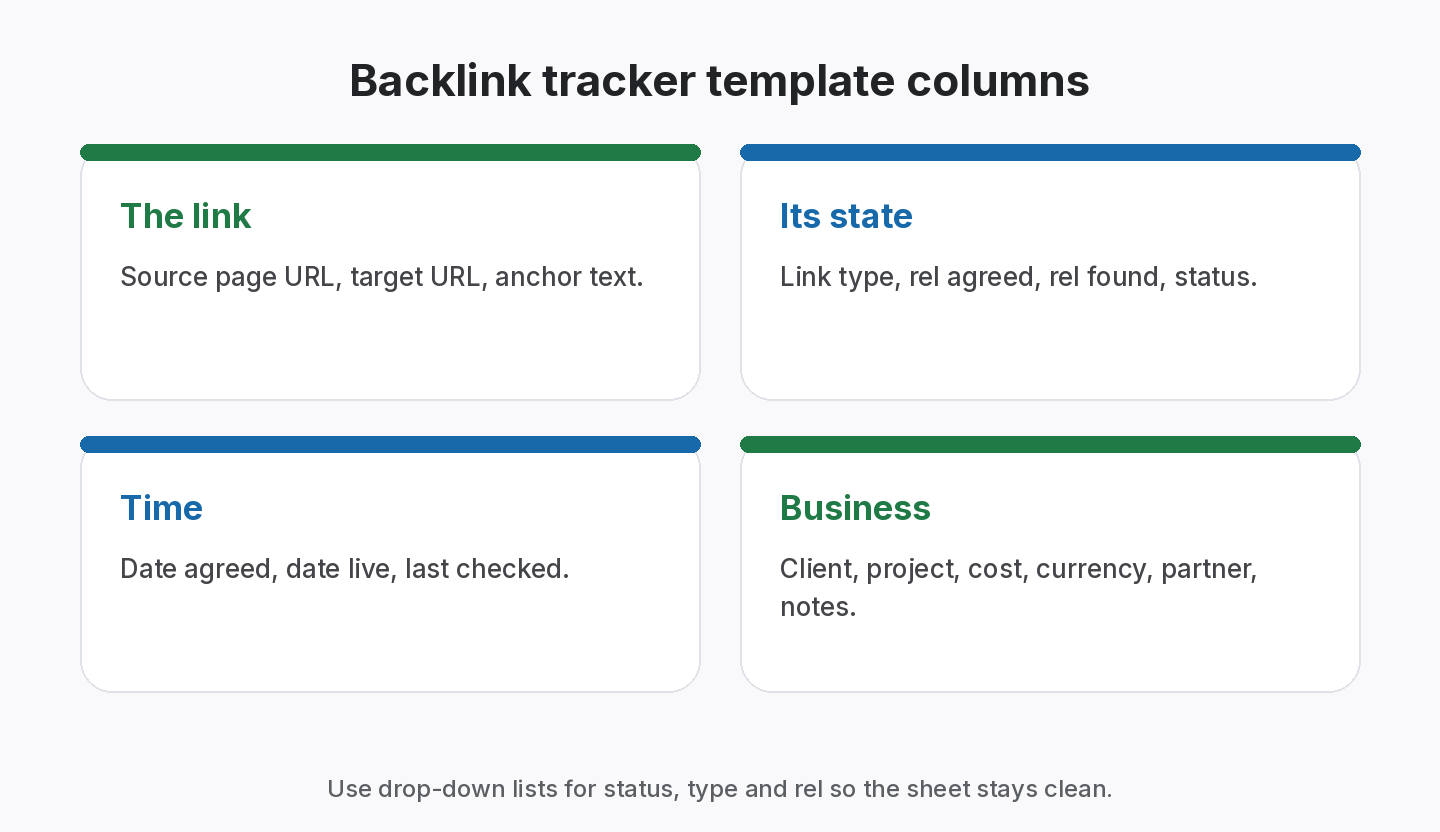
Key takeaways
- A backlink tracker template is only as good as its columns: source page, target URL, anchor, link type, rel value, status, dates, client and cost.
- Use fixed values (drop-down lists) for status and type, or the sheet drifts as people type variations.
- Record the exact source page, not only the domain, or you can’t recheck the link.
- Add “date live” and “last checked” so you can see what’s stale.
- Spreadsheets work well for a few dozen links; past that, rechecking by hand becomes the bottleneck.
A backlink tracker template is a spreadsheet layout for recording the links you build: where each link is, where it points, what it says, how it’s marked up, whether it’s still live and what it cost. Most people start with one, and for a small number of links it works well. The difference between a sheet that stays useful and one that turns into a mess is mostly in the columns and the rules for filling them in. This guide gives you the columns to use, the fixed values that keep data clean, a ready-to-copy layout and the signs that you have outgrown a spreadsheet.
Backlink tracker template columns at a glance
| Column | What goes in it | Why it matters |
|---|---|---|
| Source page URL | The exact page that links to you | You can’t recheck a domain |
| Target URL | Your page the link points to | Spots broken targets on your side |
| Anchor text | The clickable text | Anchor mix and over-optimisation |
| Link type | Exchange, ABC, guest post, paid, listing | Different follow-up and reporting |
| Rel value | None, nofollow, sponsored, ugc | Shows when terms change |
| Status | Active, Pending, Lost, Broken | The core of the sheet |
| Date live | When it went live | Lifespan and ROI |
| Last checked | When someone last confirmed it | Shows stale rows |
| Client / project | Who it’s for | Reporting and billing |
| Cost and currency | What it cost | ROI and invoicing |
| Partner / contact | Who to ask if it changes | Faster follow-ups |
| Notes | Agreed terms, duration | Evidence for disputes |
A backlink tracker template works best for one person managing a few dozen links, but falls short once several people, clients and recurring checks are involved.
Why use a backlink tracker template at all?
Because links you don’t record are links you can’t protect. Without a list, nobody notices when a paid placement disappears, an exchange becomes one-sided or a guest post link is switched to nofollow. A template also makes reporting and invoicing much faster, because the data is already structured.
The essential columns explained
Source page URL
Always the full URL of the page, not just the domain. A domain may have thousands of pages; you need the one with your link.
Target URL
The page on your site the link points to. If you change that URL later without a redirect, the link breaks even though the partner did nothing wrong.
Anchor text
Copy it exactly. Over time this column shows your anchor mix; see our anchor text ratio guide.
Link type
The kind of deal: link exchange, three-way exchange, guest post, paid placement, directory listing, editorial. Each has different terms and follow-ups.
Rel value
What the link’s HTML says: none (a normal link), nofollow, sponsored or ugc. Record what was agreed and what you found. Our nofollow vs dofollow guide explains each.
Status
Use four fixed values: Active, Pending, Lost, Broken. Avoid free text like “gone?”, “removed maybe” or “live!!”, which can’t be filtered.
Dates
At least “date agreed”, “date live” and “last checked”. Together they show lifespan, pipeline speed and which rows are overdue for a check.
Client, project, cost, partner and notes
These turn a list of links into something you can report and bill from.
Import your backlink sheet and stop rechecking by hand
CSV import on every plan, including Free. Check all your links in one click.
A copy-ready layout
Create these headers in row 1, in this order:
| Source page | Target URL | Anchor | Type | Rel agreed | Rel found | Status | Date agreed | Date live | Last checked | Client | Project | Cost | Currency | Partner | Notes |
|---|
Then set up:
- Data validation lists for Type, Rel agreed, Rel found, Status and Currency;
- Date format for the three date columns;
- Conditional formatting to highlight Lost and Broken rows, and rows where “last checked” is older than your chosen interval;
- A frozen header row and filters on every column;
- One tab per year or a “client” filter, rather than one tab per client, so data can be combined.
Useful formulas
- Days since last check: `=TODAY()-J2` (where J is “last checked”), with conditional formatting for overdue rows.
- Live-link rate: `=COUNTIF(G:G,”Active”)/COUNTA(G:G)-1` adjusted for your header.
- Cost per live link: total cost divided by the count of Active rows.
- Rel mismatch flag: `=IF(E2<>F2,”Check”,””)` to show links where the found attribute differs from what was agreed.
Adjust column letters to your layout.
Rules that keep the sheet clean
- One row per link, never one row per partner.
- Never delete lost links. Change the status, so history stays.
- Fixed values only in status, type and rel columns.
- Full URLs with https, copied from the browser.
- Update “last checked” every time someone confirms a link.
- One owner for the sheet’s structure, so columns don’t multiply.
Signs you’ve outgrown a spreadsheet
- rechecking every link by hand takes more than an hour;
- several people edit the sheet and versions drift;
- clients need their own views or reports;
- you need a history of status changes, not just the current state;
- lost links are found by clients before you;
- invoices and reports come from different copies.
At that point, the sheet hasn’t failed; the job has grown. Our guide on how to manage backlinks covers the routine that sits around any tool.
Worked example: cleaning up an inherited sheet
Suppose you inherit a link sheet from a previous team: one tab per client, merged cells, a “Status” column with entries like “live”, “LIVE ✓”, “gone?” and blanks, and domains instead of source pages. An illustrative cleanup:
- Combine tabs into one table with a Client column.
- Unmerge cells and make sure every row is one link.
- Map statuses to Active, Pending, Lost and Broken. Blanks become Pending until checked.
- Find source pages for rows with only a domain, using a site search or your crawler. Rows you can’t resolve are flagged in Notes.
- Add the missing columns: rel found, date live, last checked.
- Check every link once, so the baseline is accurate, and fill in “last checked”.
- Lock the header row and add data validation so the mess doesn’t return.
It’s tedious, but it only needs doing once. After that, the template keeps itself tidy as long as the rules are followed.
Sharing the sheet safely
- Give edit access only to the people who add links; others get view access.
- Never share the master sheet with clients; export a filtered copy or use a report.
- Keep a dated backup before big edits.
- Avoid storing logins or passwords in the sheet; use a password manager instead.
How to choose between a template and a tool
- Fewer than a few dozen links, one person: a template is fine.
- Multiple clients or team members: consider a tool with client separation.
- Paid links and exchanges you need to recheck often: automatic checks save the most time.
- Need to share with clients: look for share links or reports.
- Worried about lock-in: make sure you can export to CSV at any time.
From the SEOENV team
When people import their sheets into SEOENV, the most common cleanup is in the status column: a dozen spellings of “live”. Fixed drop-down values from day one save that work.
How SEOENV replaces the spreadsheet
SEOENV has the same columns built in, with fixed statuses (Active, Pending, Lost, Broken) and types (Dofollow, Nofollow, Unknown), organised by client and project. You can bring your existing sheet with CSV import and export, included on every plan, and run Check all to update every status at once. Starter ($29 a month) adds daily automatic checks; Enterprise adds bulk CSV import. Read more on the backlink spreadsheet alternative page.
Sources
- Google Search Central: Qualify your outbound links to Google
- Google Search Console Help: Links report
- Google Search Central: Make your links crawlable
How we wrote this guide
This guide is written by the SEOENV team from how link builders actually record exchanges, paid placements and guest posts. SEOENV makes a backlink manager, so we say where a spreadsheet or another tool is enough. We do not quote statistics we cannot source.
Frequently asked questions
Keep every link you build on record
Log exchanges, ABC swaps, paid links and guest posts in one place. The Free plan covers every link type for up to 20 links.


Leave A Comment