How to Build a Site Inventory for Link Swaps
Published on October 14, 2026 | 6 Min Read
Key takeaways
- A site inventory is a list of the sites you own or manage that you could offer in link exchanges, with the facts a partner needs to judge them.
- Record niche, language, market, traffic notes, link policy, availability and who controls each site.
- Keep it honest: only list sites you control and would be happy for partners to inspect.
- Track how often each site has been used in swaps, so no single site becomes a link hub.
- An inventory makes exchanges faster and fairer, but doesn’t change Google’s rules on excessive link exchanges.
A site inventory for link swaps is a structured list of the websites you own or manage that you could offer to partners in a link exchange. Instead of searching your memory, or several spreadsheets, every time a partner asks “what can you offer?”, you can see at a glance which sites fit their niche, what language and market each serves, what’s already been used and who controls it. A good inventory makes exchanges faster and fairer and helps you avoid overusing any one site. This guide covers what to include, how to keep it honest and how it fits with reciprocal and three-way exchanges.
Site inventory fields at a glance
| Field | Example | Why it matters |
|---|---|---|
| Site URL | example-garden-blog.com | The site you’d offer |
| Owner / controller | Your agency, a client, a partner | Who can actually place a link |
| Niche and topics | Home gardening, small spaces | Relevance to the partner |
| Language and market | English, UK | Matching audiences |
| Traffic notes | From your analytics; date checked | A fair, current picture |
| Link policy | Editorial links only, rel values allowed | Sets expectations |
| Availability | Open, limited, paused | Prevents overuse |
| Swaps used | Count and last date | Spots link hubs |
| Contact | Who approves a placement | Faster deals |
| Notes | Content standards, restrictions | Avoids mismatches |
A site inventory works best when it lists only sites you control and describes them honestly, but falls short if it becomes a catalogue of sites built only to trade links.
What is a site inventory?
In link building, a site inventory is your list of “sites to offer”. Agencies with several client or owned sites, publishers with a portfolio, and businesses with sister brands all have sites that could host a relevant link for a partner. When a link exchange is on the table, especially a three-way exchange where the partner asks you to link from a site other than the one receiving their link, the inventory tells you what’s available.
It’s different from a prospect list, which records sites you’d like links from. The inventory records what you can give.
Why keep one?
- Faster, better matches. You can offer a relevant site instead of whatever comes to mind.
- Fairer deals. Partners see clear facts and can judge value for themselves.
- Less overuse. You can see when a site has hosted many swap links recently and pause it.
- Clear permissions. You know which sites you control and which need a client’s approval.
- Cleaner records. Each exchange can reference the inventory site it used.
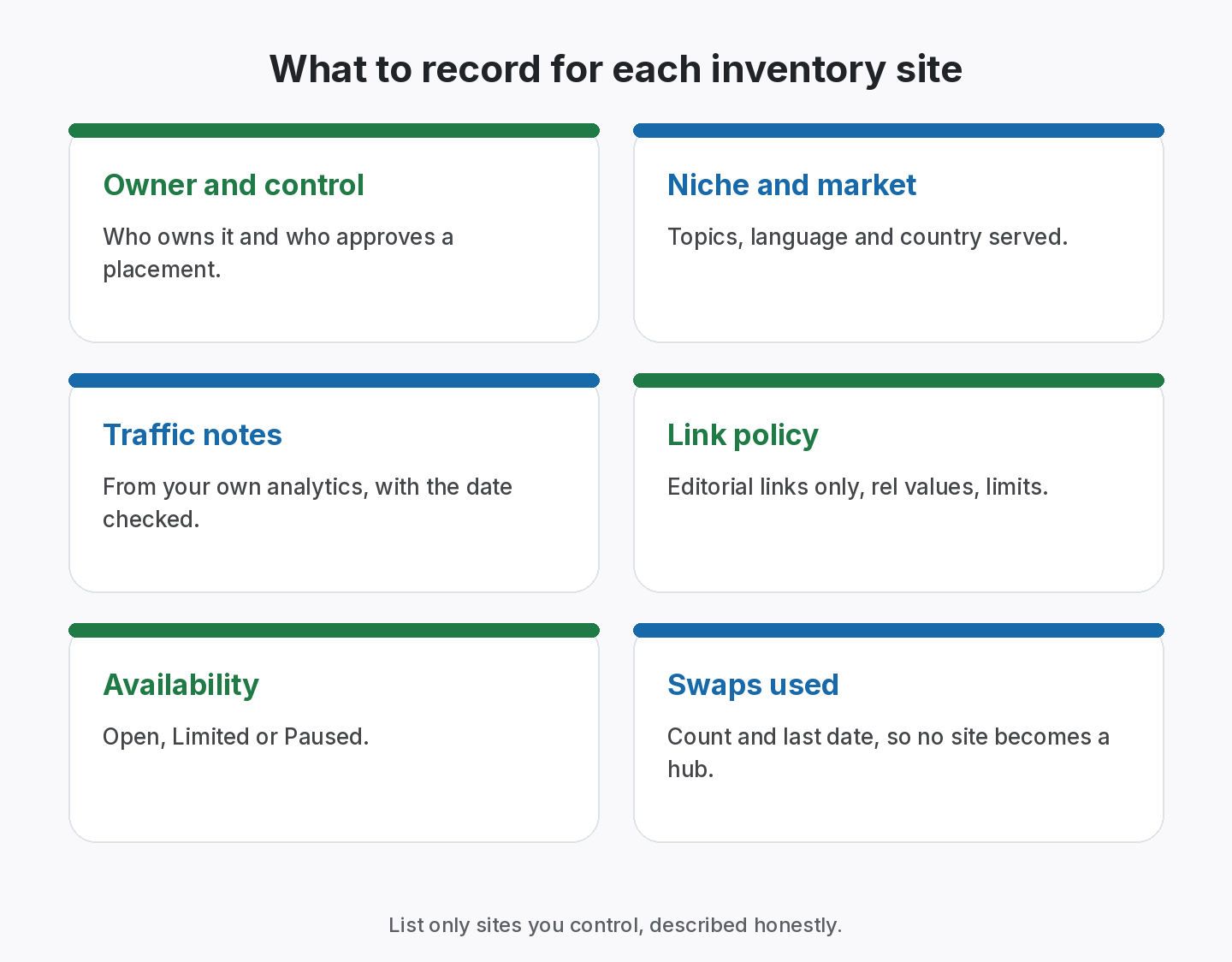
What to record for each site
Ownership and control
Who owns the site and who can approve a link? Only list sites where you have the right to place links. If a client owns the site, record that their approval is needed.
Niche, language and market
Describe the main topics in plain words, plus the language and country. Relevance is the first thing any good partner checks.
Traffic and quality notes
Use your own analytics or Search Console and note the date. Avoid inflating numbers or relying only on third-party scores. If a partner asks, you should be able to show where a figure came from.
Link policy
What kind of links does the site accept? Editorial links only, a maximum per article, required rel values for paid or sponsored content. This sets expectations before a deal.
Availability and usage
Mark each site Open, Limited or Paused, and keep a count of exchange links placed with the last date. Sites that host many swap links in a short time start to look like link hubs, which is a pattern Google’s policy on excessive link exchanges is concerned with.
Keep your sites to offer in one inventory
25 Site Inventory sites on Free; unlimited from Starter.
How the inventory fits with exchanges
Reciprocal exchanges
In a two-way swap, you usually link from the site receiving the partner’s link, so the inventory mostly helps you check relevance and usage. See our reciprocal link exchange guide.
Three-way (ABC) exchanges
In a three-way exchange, the partner links to your site A, and you link to their site C from one of your other sites. The inventory tells you which of your sites could host that link, and the record of the exchange should name it. Our three-way link exchange guide explains the format and its risks.
Keeping the inventory honest
- List only sites you control or have explicit permission to use.
- Describe them accurately, including weaknesses.
- Date every metric and update them regularly.
- Don’t build sites just to fill the inventory. Sites created mainly to host exchange links are what Google’s policies describe as link schemes.
- Respect each site’s readers. A link that doesn’t help them shouldn’t be placed, whatever the deal.
How to build your inventory step by step
- List every site you own or manage, including client sites where you have permission.
- Confirm control and who approves placements for each.
- Fill in niche, language and market.
- Add current traffic and quality notes with the date.
- Write the link policy for each site.
- Set availability and add a usage counter.
- Link each past exchange to the inventory site it used.
- Review quarterly: update metrics, pause overused sites, remove sites you no longer control.
Common inventory mistakes
- Including sites you don’t control, then failing to deliver.
- Stale metrics that mislead partners.
- No usage tracking, so a few sites carry most of the swaps.
- Mixing owned and client sites without noting who approves.
- Treating the inventory as a sales catalogue rather than a record.
Worked example: answering a three-way exchange request
A partner who runs a home improvement blog proposes a three-way exchange: they will link to your client’s garden furniture page, and in return ask for a link to their sister site about outdoor lighting. Here is how the inventory helps.
- Filter by niche. The inventory shows three sites you manage in home and garden topics.
- Check language and market. Two are UK-focused; one is US-focused. The partner’s lighting site serves the UK, so the US site is ruled out.
- Check availability. One UK site is marked Paused because it has hosted several exchange links recently. That leaves one.
- Check the link policy. The remaining site accepts editorial links in relevant articles. It has a guide to evening garden design where an outdoor lighting resource genuinely helps readers.
- Confirm approval. The site is owned by your agency, so no client sign-off is needed.
- Record the deal. The exchange is logged with both legs, naming the inventory site used, and the site’s usage counter goes up by one.
Without an inventory, the same decision would have meant asking colleagues, digging through notes and guessing at usage. With it, it takes minutes and you can explain the choice to the partner.
Inventory vs prospect list
Keep the two lists separate. Your prospect list is sites you’d like links from; your inventory is sites you can offer. Mixing them causes confusion about control and permission, and can lead to offering a site you don’t actually run.
How to choose which inventory site to offer
- Topic fit with the partner’s site.
- Same language and market.
- The site has room, with low recent swap usage.
- The placement helps that site’s readers.
- You can approve it quickly, or the owner already agreed.
If no site passes all five, it’s better to decline the exchange than to force a poor fit.
From the SEOENV team
We added a simple usage counter to each inventory site after noticing that two of our most relevant sites were being offered in almost every deal. Seeing the count made it easy to spread exchanges out or say no.
How SEOENV helps
SEOENV’s Site Inventory keeps your sites to offer in one list, alongside your Partners and every exchange you’ve recorded. The Free plan includes 25 Site Inventory sites; Starter ($29 a month) and above have unlimited inventory. For three-way deals, see the ABC link exchange page.
SEOENV doesn’t match partners or arrange swaps. It keeps your inventory and exchanges on record.
Sources
- Google Search Central: Spam policies for Google web search, link spam
- Google Search Central: Qualify your outbound links to Google
- Google Search Central: Creating helpful, reliable, people-first content
How we wrote this guide
This guide is written by the SEOENV team from how link builders actually record exchanges, paid placements and guest posts. SEOENV makes a backlink manager, so we say where a spreadsheet or another tool is enough. We do not quote statistics we cannot source.
Frequently asked questions
Keep every link you build on record
Log exchanges, ABC swaps, paid links and guest posts in one place. The Free plan covers every link type for up to 20 links.


Leave A Comment